

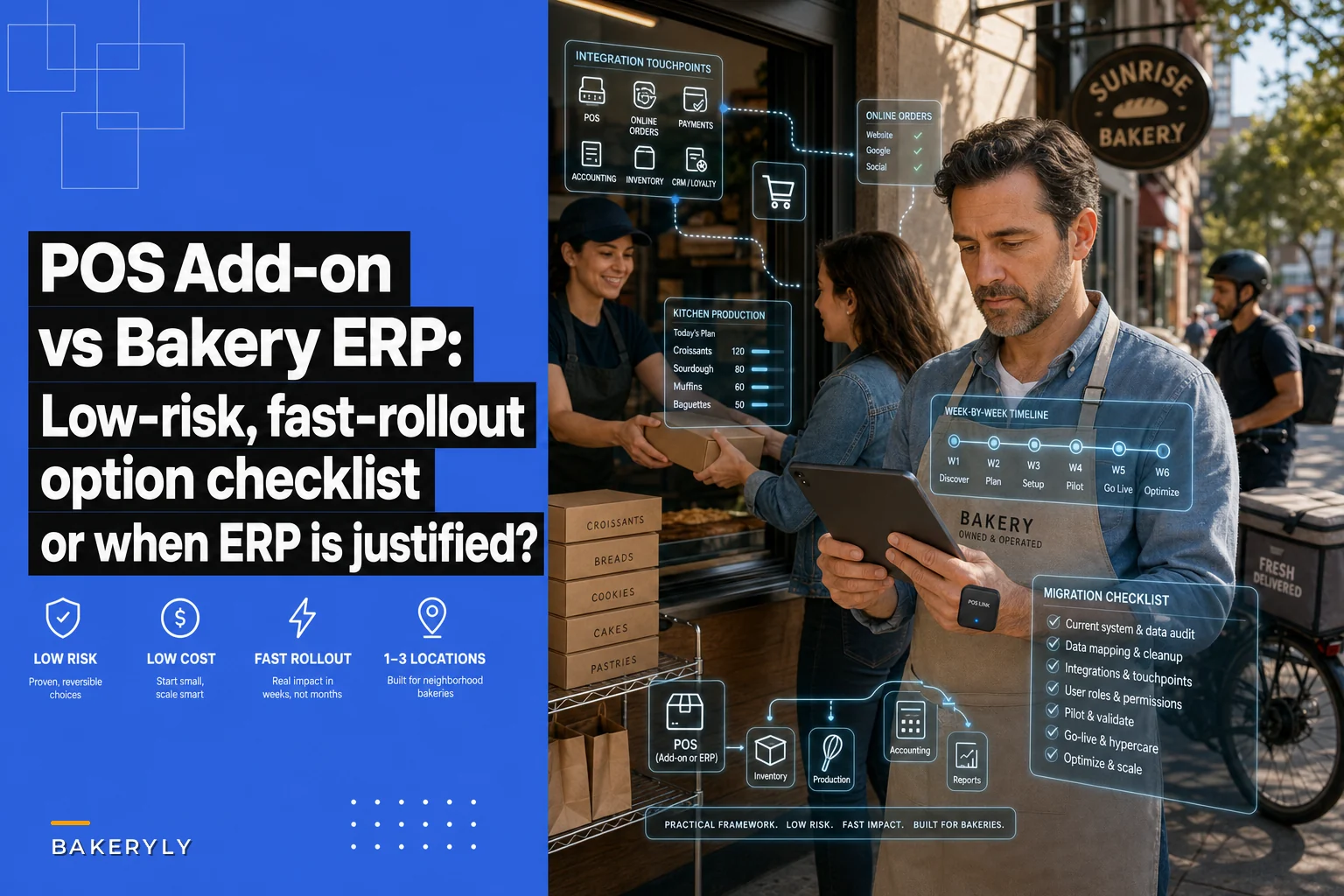

If you run one to three bakery locations and your POS is starting to feel like it's holding your order flow together with tape, you've probably hit the same fork in the road everyone reaches around this stage: do you bolt a dedicated order‑management layer on top of what you already have, or do you rip everything out and move to an all‑in‑one bakery ERP?
Both are defensible. Both get oversold. And the wrong choice doesn't fail loudly — it fails slowly, through months of workarounds, double entry, and a nagging sense that the software should be doing more of the work than it is.
This brief is meant to get you to a decision in an afternoon. No philosophy. Just the tradeoffs that actually matter for a bakery your size, a decision matrix, a pilot plan, and a vendor checklist you can take into sales calls.
First, Get Honest About What's Actually Breaking
Before comparing categories, pin down the specific failure that's pushing you to spend money. The question "add‑on or ERP" is unanswerable in the abstract — it only makes sense against a concrete pain.
The problems bakeries at this size usually run into fall into two buckets.
Order orchestration problems. Orders come in from the café POS, a website, phone calls, DoorDash/UberEats, a wholesale spreadsheet, and corporate email threads — and nothing reconciles them into one production view. A custom cake gets promised for Saturday 10am but never lands on the baker's run sheet. Two channels sell the last six croissants. The front counter can't tell a customer where their online order is.
Back‑office problems. Recipe costing is stale, inventory counts live in a notebook, inter‑site transfers are untracked, and your accountant gets a shoebox. The pain isn't about orders colliding — it's that the whole operation runs on disconnected tools and tribal knowledge.
Worth noticing: most bakeries think they have an ERP‑sized problem when they actually have an orchestration‑sized problem. The chaos is loudest at the point where orders meet production, so it feels systemic. But the café POS, the accounting software, and the inventory count might each be fine on their own — they just aren't talking.
If the real pain is "orders are colliding and nothing shows production a single list," that's the cheaper problem to solve. Don't buy a cathedral to fix a leaky window.
What Each Option Actually Solves
An order‑management / orchestration layer sits on top of your existing POS and other sources. Its job is to pull every incoming order into one queue, apply allocation rules so channels can't oversell shared inventory, push a clean production/batching view to the kitchen, and surface order status to the counter. It doesn't replace your POS, your accounting, or your payroll.
Never miss a bake or delivery again.
Bakeryly helps you schedule, track, and manage every order effortlessly.
- Unified order tracking
- Real-time inventory alerts
- Staff shift management
No credit card required
An all‑in‑one bakery ERP replaces several systems at once: POS (sometimes), inventory, recipe/BOM costing, purchasing, production planning, often basic accounting, and sometimes payroll. The promise is one database for everything. The reality is that you're committing to that vendor's way of doing every single one of those jobs.
A blunt mapping:
| Use case | Add‑on orchestration layer | All‑in‑one ERP |
|---|---|---|
| Orders colliding across channels | Solves directly | Solves, but overkill |
| No single production/batch view | Solves directly | Solves |
| Counter can't see order status | Solves directly | Usually solves |
| Online promo overselling capacity | Solves directly | Depends on module |
| Recipe/BOM costing out of date | Doesn't solve | Core strength |
| Inventory counts untracked | Partial / integrations | Core strength |
| Inter‑site transfers a mess | Partial | Core strength |
| Purchasing & supplier POs | No | Yes |
| Accounting shoebox problem | No | Often yes |
| You want to keep your current POS | Yes — that's the point | Rarely |
The split is clean: if your list of fires is mostly in the top half, you want the lighter layer. If it's spread across the bottom half too, you're genuinely in ERP territory.
Integration Complexity (This Is Where ERPs Quietly Cost More)
The add‑on's entire value proposition depends on integration quality. It has to read orders from your POS and whatever channels you use, and ideally write status back. So your first question for any orchestration vendor is: do you have a real, maintained integration with my exact POS version — not "we can build one."
A properly built add‑on connects through existing APIs in days. A poorly built one needs middleware, nightly CSV syncs, or a "we'll do a custom connector" quote that balloons. The difference between those two outcomes is the difference between a two‑week rollout and a two‑month one.
ERPs flip the complexity. Because they replace systems, there's less integration and more migration — and migration is harder than it sounds. You're moving recipes, SKUs, customers, wholesale accounts, pricing tiers, and historical data into a new structure. Getting your recipe and SKU data clean before migration is the single biggest determinant of whether an ERP rollout goes smoothly. Messy source data is why ERP projects slip.
Bakeries consistently underestimate how much of their operation lives in people's heads and in Excel. Twelve wholesale accounts with bespoke pricing, standing orders, delivery windows, and "don't call this account before 9am" rules don't migrate automatically. Someone has to re‑enter them, and that someone is usually you, at night.
Rollout Time, Realistically
Here's how the timelines typically shake out:
-
Orchestration add‑on, supported POS
1–3 weeks to live, a few more weeks to tune allocation rules and production views.
-
Orchestration add‑on, custom connector needed
6–10 weeks, and you're now partly dependent on their dev timeline.
-
All‑in‑one ERP, single location
6–12 weeks if your data is clean, longer if not, plus a learning curve for every staff member who touches it.
-
All‑in‑one ERP, 2–3 locations
plan for a quarter, and plan to run parallel systems for part of it.
The hidden rollout cost nobody quotes you is staff retraining.
An add‑on changes one workflow — how orders reach the kitchen. An ERP changes how everyone does everything, from how a cashier rings a sale to how a baker logs production. Multiply confusion by headcount by weeks, and you start to see why ERP rollouts run long.
Lock‑In Risk
This is where the long‑term money is, and it's the part owners weigh least.
An orchestration layer is low lock‑in almost by design. Because it sits on top and doesn't own your POS or your financials, you can rip it out and your business still runs. Your core systems are untouched. That's leverage — you can leave if it stops delivering.
An ERP is high lock‑in by nature. Once your recipes, costing, inventory, purchasing, and customer records live inside one vendor's database, switching means another full migration. That's not automatically bad — deep integration is the whole point of an ERP — but it changes your negotiating position permanently. Price increases, feature gaps, and clunky support are things you'll tolerate longer than you'd like, because leaving is expensive.
-
Can I export my full data — recipes, orders, customers, costing — in a usable format, on demand, without a support ticket or fee?
-
If I cancel, how long do I keep access and export rights?
A vendor who gets cagey here is telling you something.
Cost Drivers
Sticker price is the least interesting number. Watch these instead:
-
Per‑location vs per‑seat vs per‑order pricing. Order‑based pricing can surprise you during holiday peaks. A model that's cheap in February can sting in December.
-
Integration/connector fees (add‑ons) and implementation/migration fees (ERPs). ERPs often charge a one‑time setup that rivals a full year of subscription.
-
Module creep on ERPs. The base price covers less than the demo implied; purchasing, advanced reporting, and extra sites are add‑ons.
-
Training and your own time. The most underpriced cost of all. Count the owner‑hours, not just the invoice.
-
The cost of not deciding. Double entry, oversells, and missed custom orders have a monthly price too. If orchestration gaps are costing you a few hundred dollars a week in remakes, refunds, and comped orders, that's your budget baseline.
If orchestration gaps are costing you a few hundred dollars a week in remakes, refunds, and comped orders, that's your budget baseline.
A Quick Real Scenario
A two‑location bakery‑café running a popular POS up front added online ordering and a handful of wholesale accounts over about a year. Orders arrived in four places. The Saturday morning rush regularly produced two or three collisions — an online order and a counter order fighting over the same batch of specialty loaves — plus the occasional custom cake that never made it onto the baker's list.
They priced an all‑in‑one ERP first, because the chaos felt total. The quote landed in the mid five figures once migration and a second‑site license were added, with a rollout that would eat most of a quarter. Before committing, they listed their actual fires: every single one lived in order flow, not costing or purchasing. Their recipe costing was dated but functional; their accountant wasn't complaining.
They put in a lightweight orchestration layer on top of the existing POS instead. Live in under three weeks. Collisions dropped to near zero once channel allocation rules were set, and the "lost custom order" problem basically disappeared because every order hit one production queue. Comped and remade orders fell noticeably — call it a few hundred dollars a month back in their pocket — at a fraction of the ERP's cost and without retraining the whole staff.
The point isn't "add‑ons always win." It's that they diagnosed the shape of the problem before buying. The ERP would have solved it too — and solved nine things they didn't need — for several times the money and effort.
When Each Option Actually Makes Sense
An orchestration add‑on makes sense when:
-
Your fires are concentrated in order flow and production visibility.
-
Your current POS is one you're happy with and don't want to replace.
-
Your costing, inventory, and accounting are "fine for now."
-
You want to move fast and keep the option to leave.
An add‑on is a bad idea when:
-
Your real problem is costing, purchasing, or multi‑site inventory, and you're using "orders are chaotic" as the symptom you noticed first.
-
You're already planning to replace the POS anyway.
An all‑in‑one ERP makes sense when:
-
Pain is spread across production, inventory, purchasing, and finance — not just orders.
-
You're running or about to run 3+ sites and need one source of truth across them.
-
You have someone — you, a manager, a bookkeeper — who will own the system and keep its data clean.
An ERP is a bad idea when:
-
Your only real pain is order collisions. You'll pay for and maintain eight modules to fix one.
-
Nobody has time to run a quarter‑long rollout and own the data.
-
You can't get comfortable with the lock‑in, especially at a single location.
Who should probably do neither yet: a single location whose "problem" is really just undefined rules. If you don't have clear channel cutoffs, capacity caps, and a production list people actually follow, software will only automate the confusion. Nail the manual workflow first, then buy something to enforce it.
One‑Page Decision Matrix
Score each row 1–5 for your bakery. Higher total on the left = add‑on. Higher on the right = ERP.
| Factor | Points to add‑on if… | Points to ERP if… |
|---|---|---|
| Where your fires are | Order flow & production view | Costing, inventory, purchasing, finance |
| Your current POS | You want to keep it | You're replacing it anyway |
| Number of sites | 1–2 | 3 and growing |
| Who owns the system | No one has much spare time | You have a dedicated owner |
| Appetite for lock‑in | Low — want an exit | Fine with deep commitment |
| Budget this year | Tight / want fast ROI | Capital for setup + training |
| Rollout tolerance | Need it live in weeks | Can absorb a quarter |
| Data cleanliness | Recipes/SKUs are messy | Recipes/SKUs are clean & ready |
If your score lands near the middle, default to the add‑on. It's reversible; the ERP largely isn't. You can always graduate to an ERP later once the operation is bigger and the orchestration layer has shown you exactly which workflows actually matter.
A 4‑Week Pilot Plan (Works for Either Option)
Don't sign an annual deal off a demo. Run a scoped pilot against your own data.
Define your success metrics and capture the baseline before you connect anything.
-
Week 0 — Define success in numbers. Pick 2–3 metrics tied to the fire you're fixing: order collisions per week, missed/late custom orders, minutes of double entry per day, remakes/comps per week. Write down today's baseline before anything changes.
-
Week 1 — Connect one real data source. For an add‑on, connect your POS and one online channel. For an ERP pilot, load a clean sample of your real recipes and your top wholesale accounts — not demo data. How painful this step is tells you a lot.
-
Week 2 — Run it live on one shift or one location. Put real orders through it for your busiest service window. The Saturday morning rush is the honest test, not a quiet Tuesday.
-
Week 3 — Stress the edge cases. A custom order with special notes. A last‑minute cancellation. An online promo that could oversell. A wholesale standing order. Watch what the software does when reality gets weird.
-
Week 4 — Measure against baseline and talk to staff. Did collisions drop? Did double entry shrink? Would the counter and the bakers keep using it if you walked away? Their answer matters more than the dashboard.
If the vendor won't support a real pilot on your data, treat that as a soft no.
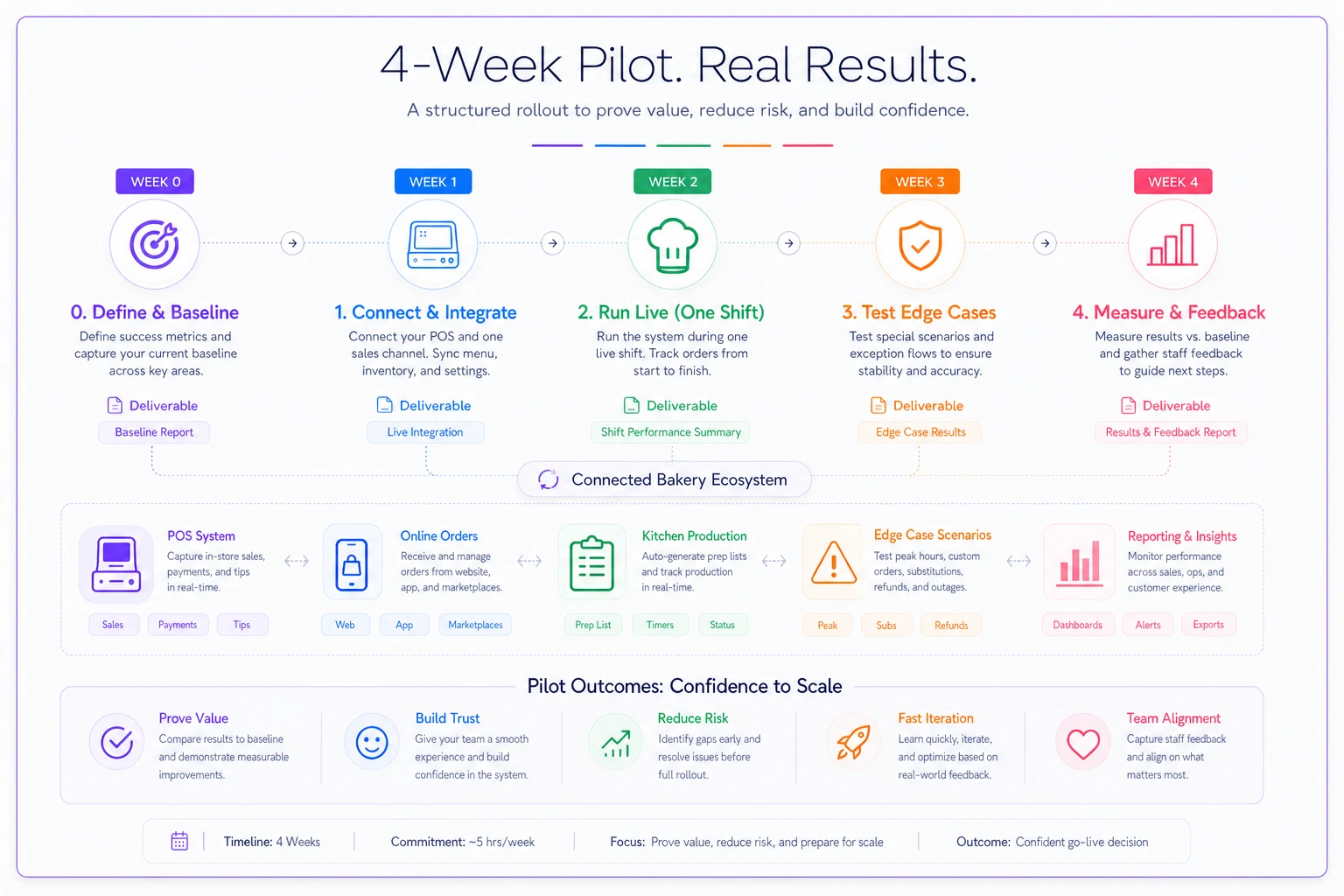
A visual timeline like the one above helps keep the pilot scoped and communicable to staff.
If you want help putting dollar figures on those pilot metrics — waste, fill‑rate, labor cost — the deeper ROI math is worth borrowing from our breakdown of inventory‑forecasting vs staff‑scheduling systems, which lays out the KPI formulas in a way that transfers directly to evaluating any operational‑software spend.
Vendor Checklist
Bring this to every call. The questions a salesperson dodges tell you more than the ones they answer.
-
[ ] Do you have a live, maintained integration with my exact POS and version — or would it be custom?
-
[ ] How many bakeries my size (1–3 locations) are live on this today? Can I talk to one?
-
[ ] What's the realistic time‑to‑live, including migration or connector work?
-
[ ] What's the total first‑year cost — subscription, setup, per‑location, per‑order, and modules?
-
[ ] How does pricing behave during a holiday order spike?
-
[ ] Can I export all my data on demand, in a usable format, at no charge?
-
[ ] What happens to my access and exports if I cancel?
-
[ ] How are custom orders with special instructions handled through to the kitchen?
-
[ ] Can I set channel allocation rules so I can't oversell shared inventory?
-
[ ] What does the production/batch view look like for the baker, specifically?
-
[ ] What support do I get during rollout, and after?
[ ] Can we run a 4‑week pilot on my real data before committing?
Making the Call
The decision gets simple once you stop asking "which is better software" and start asking "which shape of problem do I actually have." Order collisions, blind counters, and lost custom orders are an orchestration problem, and a layer on top of your current POS fixes them fast, cheap, and reversibly. Stale costing, untracked inventory, messy purchasing, and a shoebox of receipts are a back‑office problem — that's where an ERP earns its price and its lock‑in.
For most bakeries at one to three locations, the honest answer is to fix the orchestration problem first, keep the systems that already work, and only reach for the all‑in‑one when the pain genuinely spreads across the whole operation. Buy for the fire you have, not the empire you might build.
For most bakeries at one to three locations, the honest answer is to fix the orchestration problem first, keep the systems that already work, and only reach for the all‑in‑one when the pain genuinely spreads across the whole operation. Buy for the fire you have, not the empire you might build.
Ready to elevate your bakery operations?
Join 2,000+ bakeries using Bakeryly to streamline workflows, reduce waste, and delight more customers.