

Most bakery integration pain doesn't come from the systems themselves. It comes from the handoffs. Your POS calls it lineitem, your online ordering platform calls it product, your kitchen display calls it ticketrow, and your delivery dispatch tool calls it parcel_item. Each one is technically correct. None of them agree. And every time an order crosses a boundary, somebody — usually a manager at 6am — ends up reconciling the difference by hand.
The quiet cost of this is enormous. A croissant ordered online shows up on the KDS with the wrong modifier. A wholesale order's delivery window doesn't survive the trip from the order system to the driver app. A refund posted in the POS never syncs back to the order record, so your daily reconciliation is off by $40 and nobody can explain why.
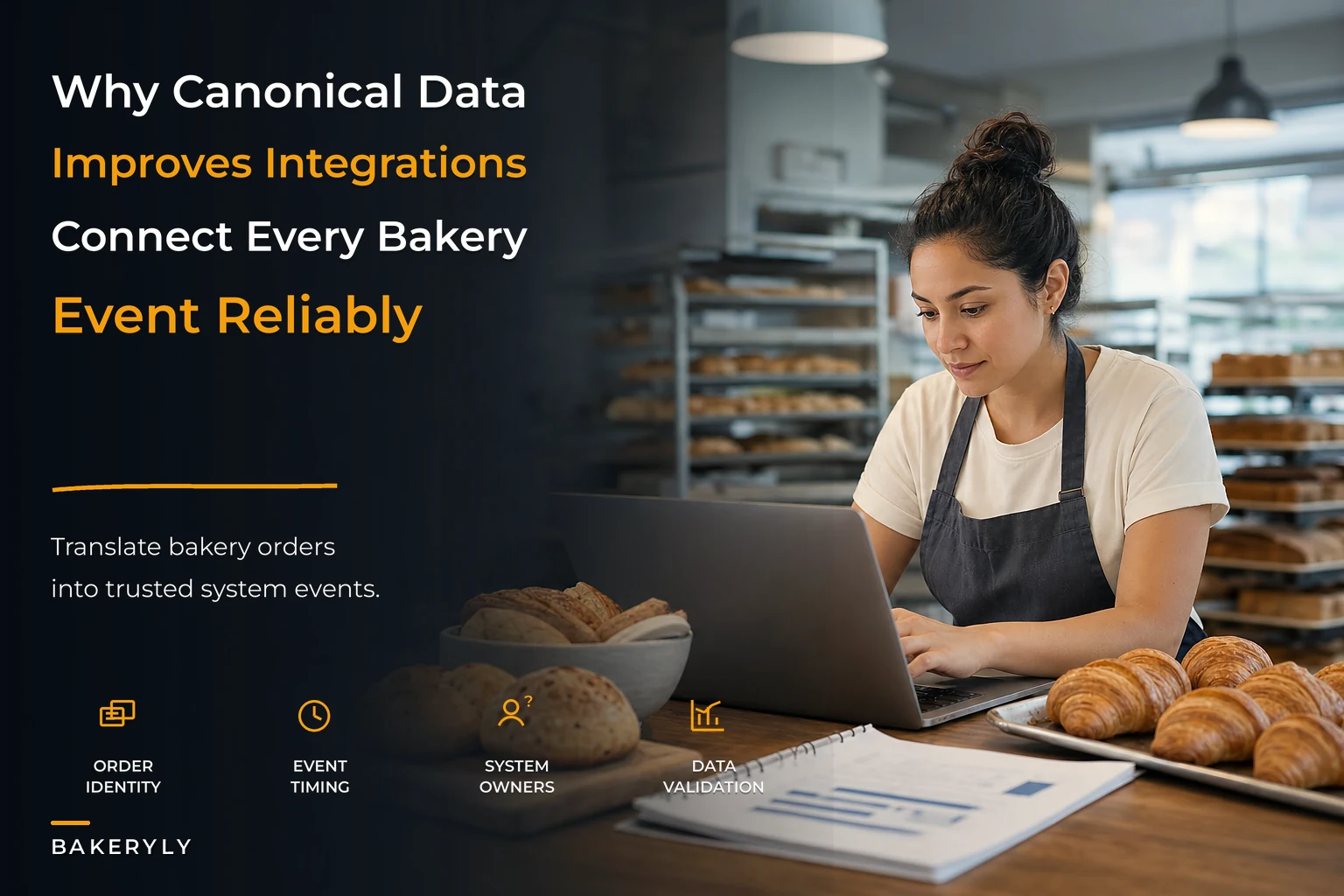
A canonical bakery data model is the fix. Instead of translating every system to every other system — which scales terribly — you translate each system once into one shared, agreed-upon schema. Everything speaks that schema. This article walks through what that model should contain, gives you sample JSON payloads and CSV field mappings you can hand to a vendor, and covers lightweight validation checks worth running before any integration goes live.
The real problem: point-to-point integrations multiply faster than you think
When you have two systems, you need one connection. With three, you need three. With four, six. By the time a growing bakery runs a POS, an online ordering platform, a kitchen display, a delivery dispatcher, and an accounting export, you're looking at ten or more point-to-point mappings — each one a separate place where a field name, a unit, or a status code can drift.
What tends to happen at bakeries that grow past a single location is that these mappings are almost never documented. They live in a developer's head, or in a Zapier zap nobody remembers building, or in a spreadsheet macro that breaks silently when the POS changes a column header. The integration "works" right up until a vendor pushes an update, and then orders start dropping with no error message.
The canonical model flips the math. Instead of connecting every system to every other system, each system maps once to the canonical schema. Add a sixth system? You write one mapping, not five. More importantly, the canonical schema becomes the single source of truth for what an "order" actually is at your bakery — not what any individual vendor decided it should be.
What the canonical model needs to describe
Before the JSON, it helps to agree on the handful of entities that every bakery flow touches. These are the nouns that have to survive the trip from POS to delivery:
Never miss a bake or delivery again.
Bakeryly helps you schedule, track, and manage every order effortlessly.
- Unified order tracking
- Real-time inventory alerts
- Staff shift management
No credit card required
-
Order — the whole transaction, regardless of channel
-
Line item — a single SKU with quantity, modifiers, and its production requirements
-
Fulfillment — how and when this order leaves the bakery (pickup, dine-in, delivery, wholesale drop)
-
Production task — what the KDS or bench needs to make, and by when
-
Party — customer, corporate account, or recipient (not always the same person)
-
Event — a timestamped change of state (order placed, item started, order ready, out for delivery, delivered)
The last one is what most bakeries skip, and it's the most valuable. If you model state changes as events rather than overwriting a single status field, you get a full audit trail for free. When a wholesale customer insists the order was never delivered, you don't argue — you pull the event log.
The canonical order payload
Here's a worked example of a single order as it would look in the canonical schema, after being translated from whatever POS or online platform created it. This is a mixed order: one retail item for pickup, one wholesale line for delivery.
{ "orderid": "ord202604180431", "sourcesystem": "squarepos", "sourceorderref": "SQ-88213", "channel": "onlinepickup", "createdat": "2026-04-18T05:42:11Z", "currency": "USD", "party": { "partyid": "cust71140", "type": "retail", "name": "D. Okafor", "phone": "+15125550194" }, "fulfillment": { "type": "pickup", "locationid": "locsouth", "windowstart": "2026-04-18T13:00:00Z", "windowend": "2026-04-18T13:30:00Z" }, "lineitems": [ { "lineid": "li01", "sku": "CROIS-BUTTER", "name": "Butter Croissant", "quantity": 6, "unitpricecents": 395, "modifiers": [], "production": { "station": "viennoiserie", "readyby": "2026-04-18T12:30:00Z", "allergens": ["gluten", "milk", "egg"] } } ], "totals": { "subtotalcents": 2370, "taxcents": 196, "totalcents": 2566 }, "events": [ { "eventtype": "orderplaced", "timestamp": "2026-04-18T05:42:11Z", "actor": "customer" } ] }
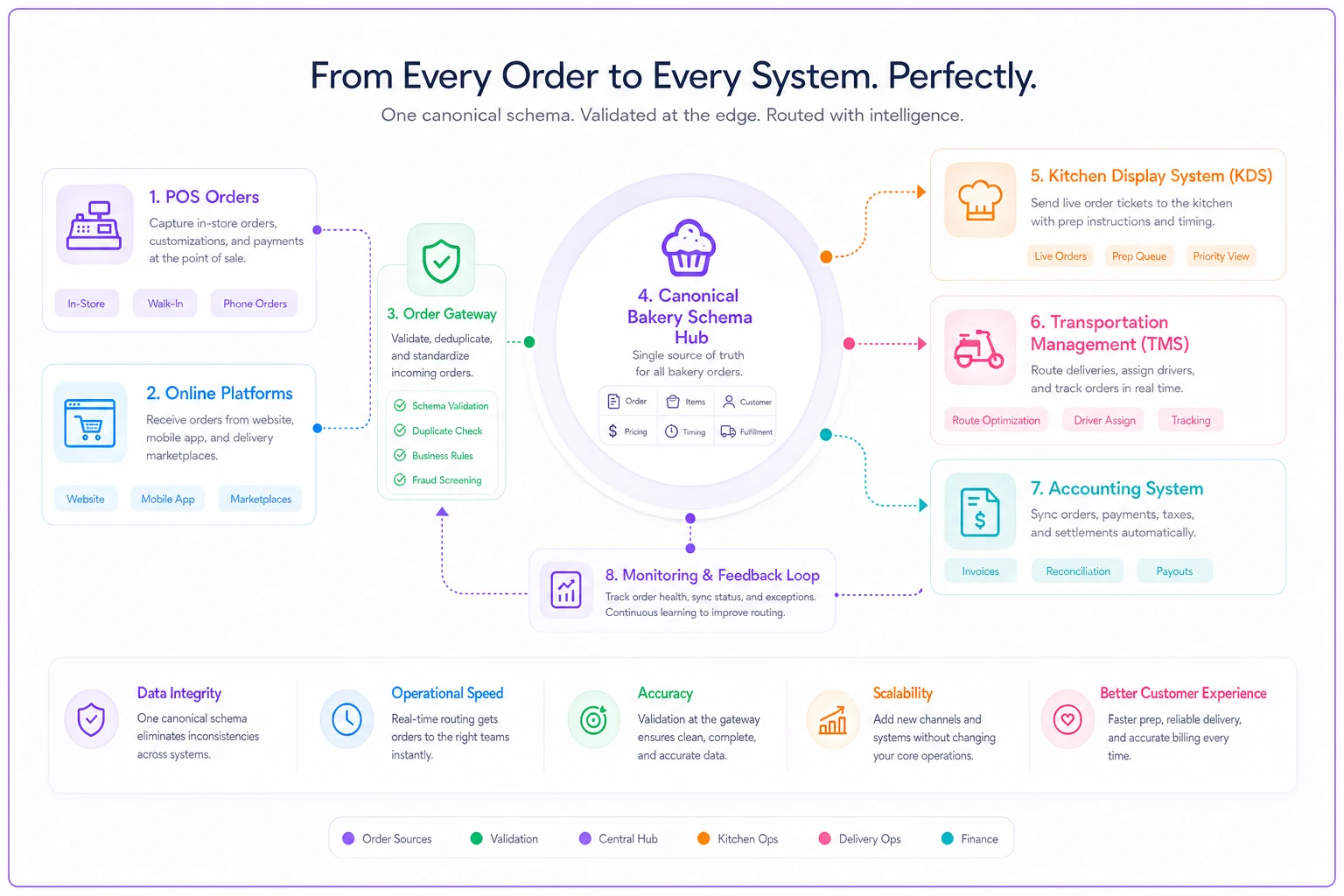
The diagram shows the canonical schema as the hub between systems and the validation gateway.
A few deliberate choices here worth calling out. Prices are in integer cents, not floats — floating-point money is the single most common cause of reconciliation drift, and it's completely avoidable. Timestamps are in UTC with a Z suffix, because the moment you run two locations across different daylight saving behaviors, local timestamps silently corrupt your production windows. And sourceorderref is preserved so you can always trace a canonical order back to whatever the original system called it.
The event payload — where most of the value lives
Every state change gets appended as an event rather than mutating the order. Here's what the KDS would emit when a baker starts and finishes the croissant line:
{ "eventid": "evt99001", "orderid": "ord202604180431", "lineid": "li01", "eventtype": "productionstarted", "timestamp": "2026-04-18T11:58:03Z", "actor": "kds", "station": "viennoiserie", "metadata": { "operatorinitials": "MR" } }
And when the whole order is handed off to delivery, the transport system emits:
{ "eventid": "evt99014", "orderid": "ord202604180431", "eventtype": "outfordelivery", "timestamp": "2026-04-18T12:46:20Z", "actor": "tms", "metadata": { "driverid": "drv12", "routeid": "rtsoutham", "stopsequence": 3 } }
Events are immutable and append-only. You never edit evt_99001. If something was wrong, you emit a correcting event. This feels like overkill until the first time two systems disagree about whether an order was delivered, and you need to replay exactly what happened.
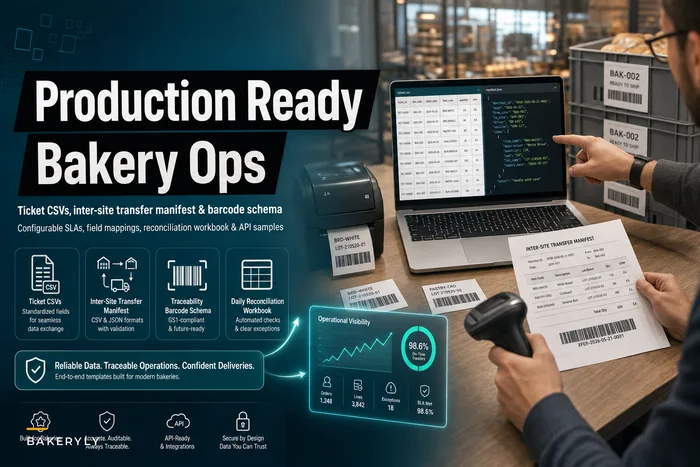
For bakeries that already keep ticket CSVs and transfer manifests, this event model slots neatly alongside the kinds of templates covered in our operational templates for bakeries — the canonical schema is essentially the structured, machine-readable version of those same documents.
CSV field mappings for the systems that don't do JSON
Plenty of bakery tools — especially older POS exports and accounting imports — only speak CSV. The canonical model still works; you just map columns to canonical fields. Here's a mapping table you can hand directly to a vendor or an integrator.
| Canonical field | POS CSV column | Online platform column | KDS export column | TMS import column |
|---|---|---|---|---|
order_id | Order ID | reference | ticket_no | shipment_ref |
sourceorderref | Receipt # | platformorderid | — | — |
channel | Order Type | fulfillment_type | order_source | service_type |
sku | Item SKU | product_sku | item_code | — |
quantity | Qty | qty | count | units |
unitpricecents | Price ×100 | unit_price ×100 | — | — |
fulfillment.window_start | Pickup Time | requested_time | due_time | delivery_from |
fulfillment.location_id | Location | store_id | station_group | origin_hub |
production.allergens | — | allergen_tags | allergen_flags | — |
The gaps in this table are the honest part. Notice that the POS CSV has no allergen column and the TMS has no SKU. That's normal — not every system carries every field. The canonical model's job is to be the place where those fields coexist, so when the online platform captures allergen tags, that information survives into production even though the POS would have dropped it. The dashes show you exactly where information is being lost today.
One recurring mistake: multiplying Price by 100 to get cents without rounding first. A POS that exports 3.95 is fine, but one that exports 3.9500001 (floats again) will give you 395.00001 cents. Always round to the nearest integer after the multiply.
Minimal validation checks to run before go-live
You don't need a formal schema registry to catch most integration failures. A handful of cheap checks, run on every payload before it's accepted, will stop most bad data at the door. Here's a practical order to run them in:
-
Required fields present. Reject any order missing
order_id,channel, at least one line item, and a fulfillment block. A surprising share of dropped orders are simply payloads missing a fulfillment window. -
Money is integer cents. If any
*_centsfield is a decimal or a string, reject it. This one check eliminates nearly all reconciliation drift. -
Totals reconcile.
subtotalcentsshould equal the sum ofquantity × unitprice_centsacross line items. If it doesn't, the order was malformed upstream — flag it before it hits production. -
Timestamps are UTC and ordered.
windowstartmust be beforewindowend, andcreated_atmust not be in the future. Reversed windows are a classic sign of a timezone mapping bug. -
SKUs exist in your catalog. Reject line items with unknown SKUs rather than silently passing them to the KDS, where they become a confused baker staring at
item_code: XZ99. -
Allergen fields are present for food line items. Even if empty, the field must exist — a missing allergen field is different from a product with no allergens, and that distinction matters for safety.
{ "check": "totalsreconcile", "rule": "sum(lineitems[].quantity * lineitems[].unitpricecents) == totals.subtotalcents", "onfail": "rejectand_log", "severity": "hard" }
Pro-tip: Always round to the nearest integer after multiplying exported prices by 100 to avoid floating-point artifacts.
Run these as a thin gateway in front of each integration. The point isn't to build something elaborate — it's to fail loudly and early instead of letting a bad order silently poison your production queue.
When this actually makes sense
A canonical model is worth the setup effort once you're running three or more systems that exchange order data, or the moment you add a second location. Below that, the overhead can outweigh the benefit — a single POS feeding a single kitchen display rarely needs a translation layer.
It also makes sense when you're about to switch a vendor. If your POS is mapped to a canonical schema rather than directly to your KDS, swapping the POS means rewriting one mapping instead of untangling every downstream connection. Bakeries that have been through a painful platform migration tend to build the canonical layer right after, because they never want to go through that again.
When this is premature
If you're a single-site bakery with a POS that handles ordering, display, and reporting in one integrated product, don't build this yet. You'd be adding a layer with nothing to translate.
It's also the wrong move if your problems are actually reporting problems rather than integration problems. If orders flow fine but you can't turn them into weekly decisions, you want a data pipeline, not a schema. The approach in building a lightweight data pipeline from your POS is the better starting point there. Fix the question you actually have.
A real scenario
A two-location bakery running Square, a third-party online ordering platform, a tablet-based kitchen display, and a regional delivery dispatcher was losing roughly four to six orders a week somewhere between "placed online" and "showing on the KDS." The failures clustered on wholesale orders with delivery windows, and nobody could reproduce them reliably.
The root cause turned out to be two field-naming collisions: the online platform sent delivery windows in local time while the dispatcher assumed UTC, and modifier data on wholesale lines was being dropped entirely because the POS-to-KDS mapping didn't carry a modifiers field. Neither system threw an error — the data just quietly evaporated at the handoff.
After mapping all four systems to a canonical schema and adding the six validation checks in front of each integration, the lost-order count fell to near zero over the following two months. More usefully, when a problem did occur, the event log made it obvious which handoff failed — so the fix took minutes instead of a morning of guesswork. End-of-day reconciliation also got noticeably faster, because totals that used to drift by small amounts now matched consistently, since money was handled as integer cents throughout.
How this ties into channel and fulfillment governance
A canonical schema isn't just plumbing — it's what makes consistent fulfillment rules enforceable across channels. If every order, regardless of whether it came from the cafe counter or a corporate portal, lands in the same shape, you can apply the same capacity and routing logic to all of them. That's the foundation under the kind of structure described in our multi-channel fulfillment governance playbook: governance rules are only as reliable as the data they operate on, and a shared model is what keeps "delivery window" meaning the same thing in every system.
Operational software built on top of a canonical model — rather than a tangle of point-to-point connections — is also far easier to extend with automation. Once orders and events share one structure, routine checks like totals reconciliation, allergen-field validation, and window conflict detection can run automatically on every incoming order, flagging the handful that need a human instead of making someone eyeball all of them. The schema does the heavy lifting; the automation just watches it.
The takeaway
The systems you buy will never agree with each other on their own. Vendors optimize for their own data models, not yours, and every integration you add is another place for a field to drift or an order to vanish.
Start small. Define the six core entities. Write the JSON payloads above for your own SKUs and channels. Build the CSV mapping table for the systems that can't do JSON. Then drop the validation checks in front of each integration so bad data fails loudly instead of silently. You don't need a full platform rebuild to get most of this value — you need agreement on what an order is, and the discipline to make every system translate to it.
Ready to elevate your bakery operations?
Join 2,000+ bakeries using Bakeryly to streamline workflows, reduce waste, and delight more customers.